
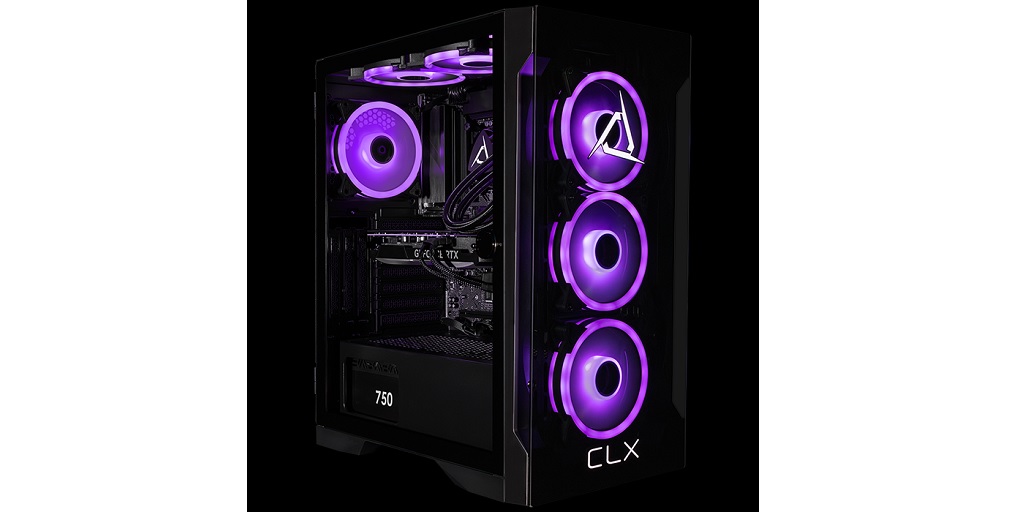
So, the time has come – you’re finally ready to invest in a custom gaming PC. Congratulations! Before you dive in, though, it’s essential to ask your gaming computer builder the right questions. Whether you’re new to gaming rigs or a seasoned player, knowing what to ask can help ensure you’re getting the best bang for your buck. Here are the key questions to ask your gaming computer builder and the answers you should expect to hear:
1. What’s the Expected Performance for the Games I Play?
Before anything else, you need to ensure your new gaming PC can handle the games you love. Ask the builder about the expected performance for specific games. Be upfront about the titles you’re most interested in, whether it’s competitive shooters like Call of Duty or visually stunning RPGs like Cyberpunk 2077.
What you should expect:
Your builder should give you a clear idea of the frame rates (FPS) and settings you can expect, based on your budget. They might mention terms like 1080p, 1440p, or 4K, which refers to the screen resolution. If you’re aiming for high settings or ultra-settings, ask if the rig can handle 60 FPS or higher for smooth gameplay. A knowledgeable builder will also consider whether you’ll be streaming or using VR, as that could impact performance.
2. What Kind of Cooling System Will You Install?
Gaming generates heat – lots of it. High-performance graphics cards and CPUs can easily overheat if the right cooling system isn’t in place. You’ll want to ensure your system stays cool to prevent throttling, where the PC slows down due to overheating, and to avoid long-term damage to components.
What you should expect:
The builder should recommend either an air cooling or liquid cooling system, depending on your build. If you’re building a high-end system, liquid cooling might be the better option for maximum performance. They should also talk about fan placement and airflow, ensuring proper ventilation to prevent overheating.
3. Will the Power Supply Be Enough for Future Upgrades?
The power supply unit (PSU) is one of the most crucial, yet often overlooked, components in a gaming PC. If the PSU doesn’t provide enough power, it could lead to random shutdowns or worse – damage to other hardware. You’ll also want to make sure the PSU has enough wattage to support any upgrades you might want to add down the line, like a new graphics card or more storage.
What you should expect:
A good builder will recommend a PSU with at least 20-30% headroom above your current power needs, meaning it should be more than enough for your current build but also capable of handling future upgrades. They might suggest a modular or semi-modular PSU to keep cable management clean and efficient.
4. What Storage Options Are Best for My Gaming Needs?
Storage is more than just the space you need to store your games; it also impacts how fast those games load. Solid-state drives (SSDs) are all the rage because of their speed, but some gamers still prefer a hybrid approach with SSDs for speed and traditional hard drives (HDDs) for mass storage.
What you should expect:
Your builder should suggest an SSD for faster game load times and operating system performance. A typical recommendation is to use an SSD (250GB or more) for the operating system and a few games you play often, and a larger HDD (1TB or more) for other files and games. For those who want top-tier speed, NVMe SSDs are even faster than regular SSDs and could be worth considering if they fit your budget.
CLX: A Gaming Computer Builder You Can Trust
When it comes to building the gaming computer of your dreams, there’s only one name you should trust. CLX! They cater specifically to gaming enthusiasts, content creators, and PC industry professionals, and their staff is composed of fellow gamers like you. This means that they have an intimate understanding of what your needs and wants might be. Visit the CLX website today to learn more about how they can help you build a rig specific to your gaming preferences!