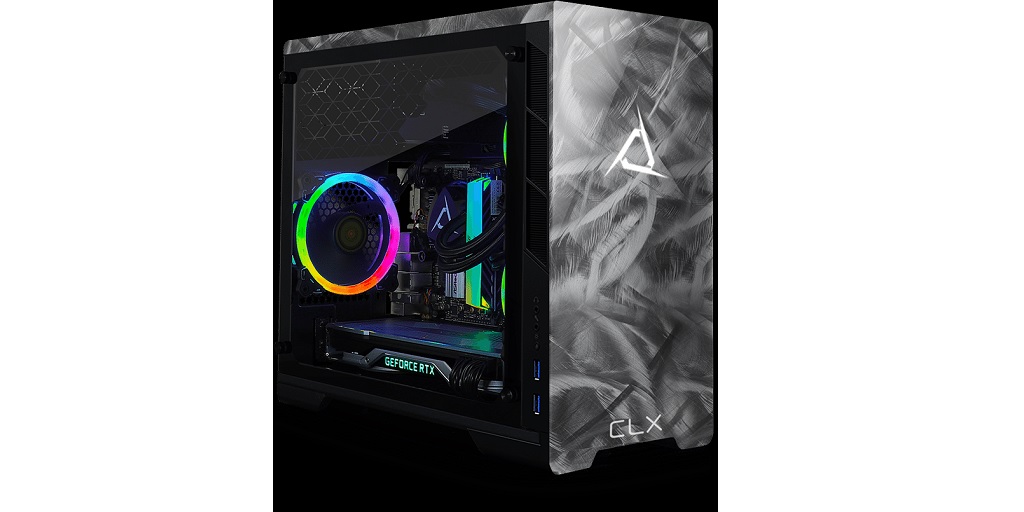
Building your own gaming computer is a fantastic way to ensure you get the best performance for your budget. However, if you’re new to the world of PC building, there are some common pitfalls you’ll want to avoid. Read on below for some of the most common mistakes that people can make when building a gaming PC, as well as how to steer clear of them:
Skipping Compatibility Checks
One of the biggest mistakes that newbies often make is not checking if the components that they’ve chosen for their gaming PC are compatible with each other. Simply put, you can’t force a processor to work with a motherboard that doesn’t support it – that’s like trying to shove a square peg into a round hole.
To ensure that everything you’ve picked will play nicely together, you can use tools like PCPartPicker. Alternatively, you can purchase a gaming computer build kit like the ones on offer on CLX – their online Ultimate Configurator tool allows you to virtually build your gaming PC, and is intuitive enough to let you immediately know about any compatibility issues. Their gaming computer build kit is the best way to acquire a gaming PC without the hassle of having to research parts and compatibility!
Ignoring Future-Proofing
If you’re a gamer on a budget, chances are you’ve thought about purchasing components that are a couple of generations behind to save on costs. While this can be a prudent approach, though, you should still make sure that the parts you’ve chosen won’t be obsolete too soon. If you want to play triple-A titles at a relatively high resolution, it’s always a good idea to set aside the bulk of your budget on components that will allow you to do so. This will prevent you from having to upgrade your rig too early.
Underestimating the Importance of the Power Supply
A quality power supply (PSU) is the unsung hero of your gaming setup. It supplies power to the motherboard, CPU, GPU, storage devices, and other peripherals. That’s why skimping on your PSU is a major no-no. A bad PSU can lead to system instability, and in the worst-case scenario, it could fry your components. When building your gaming PC, make sure that you invest in a beefy, high-quality power supply. You’ll thank yourself for it later.
Overpaying for RAM
While having plenty of RAM is crucial for gaming, more isn’t always better. Beyond a certain point, the benefits start to taper off.
So, how much RAM should you put in your gaming PC? The answer is that it depends largely on the games that you want to play. 16GB of RAM is sufficient enough for many light competitive games. However, games like Microsoft Flight Simulator, for example, struggle on 16GB; if you want to play it without any hiccups, you might want to spring for 32. 32GB is also better if you plan on doing any streaming or multi-tasking on your PC while you play games.
Relying Solely on Hard Drives
While traditional hard drives (HDDs) are great for storage, they’re slow compared to Solid State Drives (SSDs). For faster load times and a smoother gaming experience, install your operating system and favorite games on an SSD.
Not Planning for Enough Storage
Games are getting bigger and bigger. If you only have a small SSD or HDD, you’ll find yourself constantly uninstalling and reinstalling games. Plan ahead and get more storage than you think you need.
Building a gaming computer can be a rewarding experience, but it’s essential to avoid these common pitfalls. Save yourself the headache – just purchase a gaming computer build kit from CLX! Visit the CLX website now to learn more.