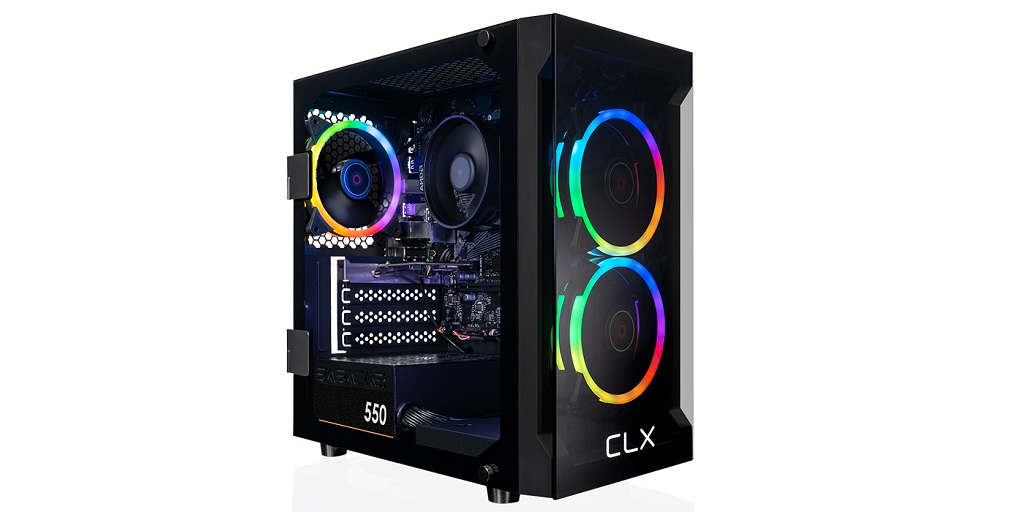
So, your shiny new pre-built gaming computer has just arrived! It’s an exciting moment for sure: you’ve been dreaming about this day, and now it’s finally here.
Before diving into your favorite games or cranking up the settings to ultra, though, there are a few things that you need to do to make sure that everything runs smoothly. A little preparation now will save you a lot of headaches later on! Here’s a brief walkthrough on what you should do first:
Unbox with Care
The first step is pretty straightforward: unbox your new rig. Try to take your time here – don’t just rip into it like a kid on Christmas morning! Carefully remove the protective foam and packaging to avoid any accidental damage. While you’re at it, make sure that everything that was supposed to come with your PC is in the box. Check for accessories like power cables, a user manual, and any extra screws or adapters that the system integrator might have included.
Inspect the Build
Once you’ve got everything out of the box, take a moment to inspect your gaming PC. Sometimes shipping can jostle things around, so it’s worth double-checking everything before powering it on.
Take a look at the side panel first. If it’s made out of tempered glass, make sure that it wasn’t cracked or broken during transit. From there, remove it and take a closer look inside. Make sure that the components are seated properly, that your CPU cooler is secured, and that your cables are managed neatly.
Plug It In and Power It Up
After a quick inspection, it’s time for the moment of truth – plugging your pre-built gaming computer in and powering it up for the first time. Set up your gaming PC in its new home, preferably on a desk or flat surface with good airflow. Connect the monitor, keyboard, mouse, and any other peripherals you plan to use. Don’t forget to plug in the power cord and flip the switch on the back of the power supply (it’s often overlooked).
Once everything is connected, press the power button. Your PC should spring to life, fans spinning and RGB lights glowing. If it doesn’t turn on, don’t panic. Double-check all connections, especially the power cable, and make sure your outlet is working.
Update the Operating System
If you ordered your gaming PC with an operating system like Windows, you should expect a familiar desktop experience when it springs to life. However, there is a chance that it’s not up to date. You can easily remedy this yourself by navigating to the Settings and then going to Windows Update. From there, you should be able to easily download and install all available updates to the operating system.
While you’re at it, consider creating a recovery drive. It’s not the most exciting thing to do, but it can be a lifesaver if something ever goes wrong with your system.
Install Drivers
Drivers make sure that your hardware communicates properly with your gaming PC’s software. Normally, you can expect Windows to do this automatically as soon as it has access to the internet. Still, it might miss a few key ones, so it’s worth checking for the latest driver versions online.
Some of the drivers that you might want to download and install first include ones for the graphics card (NVIDIA or AMD, depending on your GPU), motherboard chipset, sound card, or network adapter.
Purchase Your Pre-Built Gaming Computer on CLX
These tips are brought to you by CLX, your #1 source for pre-built gaming computers. Their ready-to-ship selections are available in a wide range of price points! Visit the CLX website now to buy your very own pre-built gaming computer.